



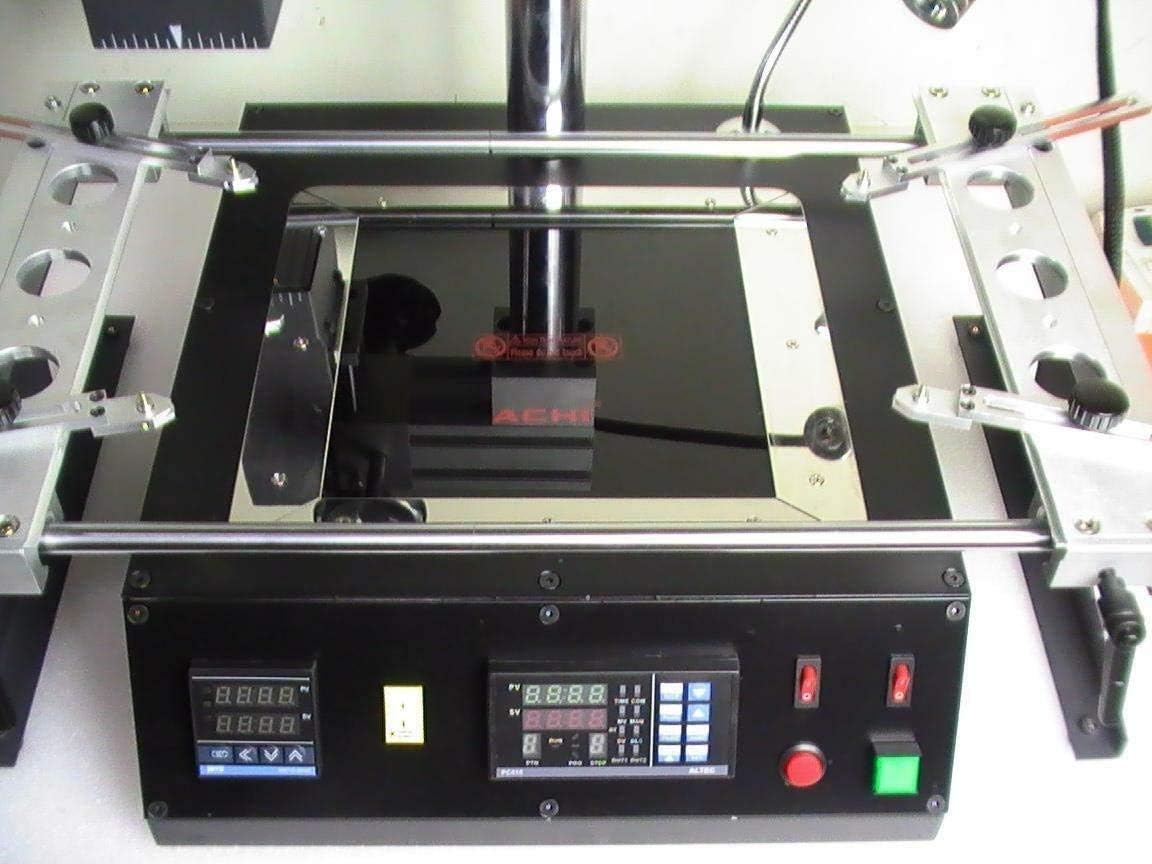
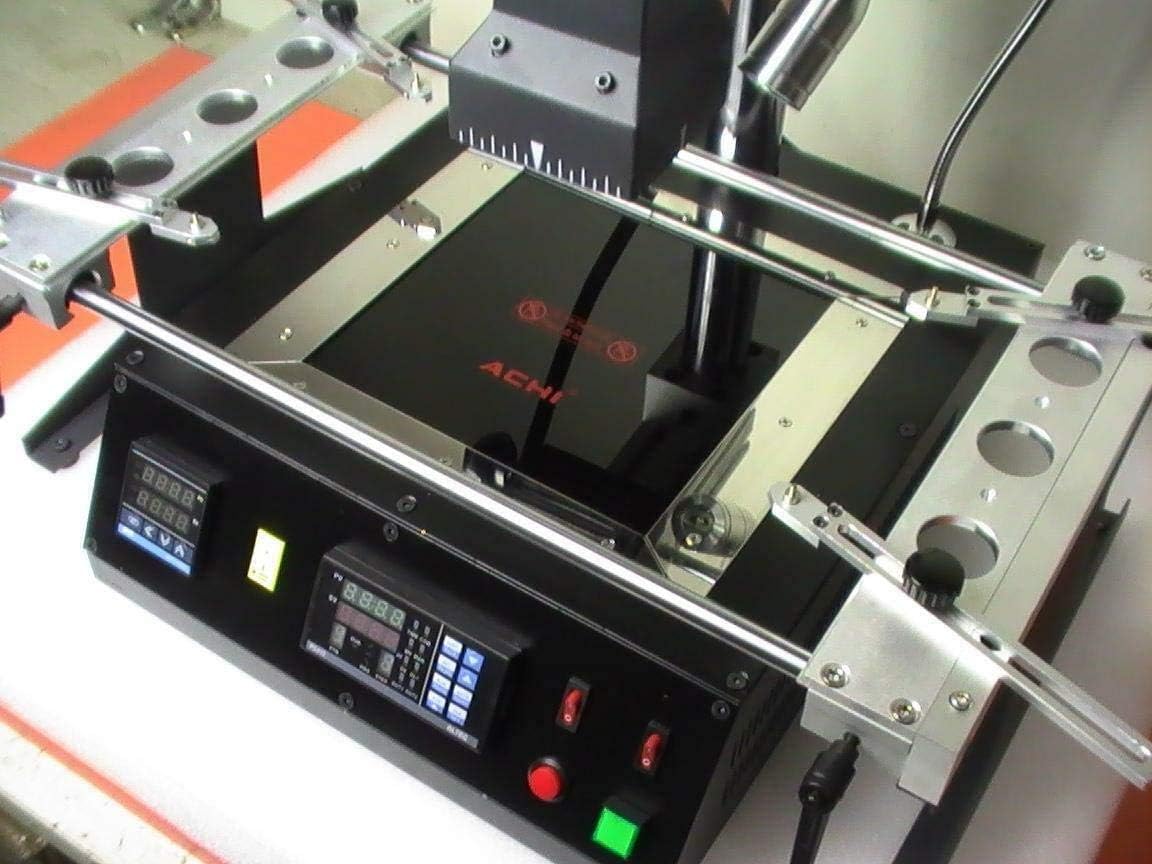


CNCEST IR6500 BGA Rework Station Infrared Soldering Machine 1250W SMD SMT Welder Reflow Station for Xbox 360 PS3 Laptop Desktop Motherboard Repair CE Certified

 4.1 (24 items)
 Limited Time Sale
US$239.99 cheaper than the new price!!
Free cash-on-delivery fees for purchases over $99
Product details
| Management number | 218614057 | Release Date | 2026/05/03 | List Price | US$160.00 | Model Number | 218614057 | ||
|---|---|---|---|---|---|---|---|---|---|
| Category | |||||||||
IR6500 Infrared BGA Rework Station – Professional 1250W Soldering & Desoldering Machine for Electronic RepairBasic SpecificationsHeating Method: Dual Infrared (IR) Top & BottomPower Input: 220V, Total Power 1250WMachine Dimensions: 475mm (L) x 480mm (W) x 420mm (H)Net Weight: 15kg, Gross Weight: ~17kgHeating ParametersTop IR Heater: 80mm x 80mm, 400W, independent closed-loop control (±0.5% precision)Bottom IR Heater: 120mm x 120mm, 800W, independent closed-loop control (±0.5% precision)Rework CapabilitiesSupports BGA, PBGA, CSP, SMD, multi-layer substrates, EMI shielding rework/soldering/desolderingCompatible IC Size: ≤70mm x 70mmMax PCB Size: ≤400mm x 305mmPerfect for lead-free and leaded solder reworkProfessional ApplicationsWidely used for repairing Xbox 360, PS3 game consoles, laptop motherboards, desktop PC mainboards, server boards, industrial computer boards, communication equipment and LCD TV circuit boards. The IR6500 BGA rework station delivers reliable performance for professional electronic repair shops, technical maintenance centers and industrial manufacturing environments
- PRECISE CLOSED-LOOP TEMPERATURE CONTROL Adopts high-precision closed-loop temperature control with sensitive sensor for accurate real-time readings and balanced heat distribution; ensures stable soldering process for lead-free and leaded BGA, CSP, SMD components
- ANTI-AIRFLOW INFRARED REWORK TECHNOLOGY Innovative infrared design resists airflow interference; easily handles lead-free soldering, CPU socket replacement, shield case removal, and component slot repair for heavy-duty industrial rework
- INTEGRATED STRUCTURE & PCB FIXATION SYSTEM All-in-one integrated design saves workspace with tidy cable layout; linear guide bracket with lockable lever and rotary handle securely fixes PCB to prevent board bending and deformation during rework
- PROGRAMMABLE TEMPERATURE CURVE & USB CONTROL Built-in USB port connects to PC for software control; stores up to 10 programmable temperature profiles with 8 heating segments and 8 constant temperature segments for customized soldering parameters
- WIDE APPLICATION FOR ELECTRONIC REPAIR Ideal for reworking large PCBs including laptop/desktop motherboards, server boards, industrial control boards, game consoles, communication equipment, LCD TV mainboards and various SMD BGA components
| Size | 18.7 x 18.9 x 16.5 in |
|---|---|
| Color | Black |
| Shape | Rectangular |
| Brand Name | CNCEST |
| Model Name | IR6500-BGA |
| Style Name | Professional, Industrial |
| Manufacturer | vohumannah |
| Model Number | IR6500 |
| Material Type | Iron, Stainless Steel, Ceramic Heating Element, ABS Plastic |
| Warranty Type | Manufacturer Warranty |
| Frame Joint Type | L-shaped Corner, Bolted |
| Required Assembly | No |
| Additional Features | Infrared Heating, Dual Independent Temp Control, USB Programmable, PCB Fixation, Lead-Free Solder Compatible |
| Frame Material Type | Metal |
| Included Components | BGA Rework Station, Infrared Heating Unit, PCB Holder, Power Cord, User Manual |
| Manufacturer Part Number | IR6500-BGA-001 |
| Product Care Instructions | Clean Regularly, Avoid Moisture, Unplug When Not In Use, Professional Maintenance Only |
| Recommended Uses For Product | Industrial, Electronic Repair, BGA Rework, PCB Soldering & Desoldering, Motherboard Repair |
| Assembly Instructions Description | IR6500 BGA Rework Station Assembly Instructions Thank you for purchasing the IR6500 BGA Rework Station. Please follow the steps below to assemble the machine correctly. The assembly process is simple and requires no professional tools; all necessary components are included in the package. Please read the entire instructions carefully before assembly to avoid damage to the machine or personal injury. 1. Preparation Before Assembly - Unpack all components from the package and check if they are complete: 1 x IR6500 BGA Rework Station main unit, 1 x PCB holder (linear guide bracket), 1 x power cord, 1 x user manual, and relevant fasteners (bolts, nuts). - Choose a flat, stable, and well-ventilated workbench to place the machine. Ensure the workbench can bear the weight of the machine (about 17kg) and there is enough space around for operation. - Make sure the power switch of the machine is in the "OFF" position and the power cord is not plugged into the power outlet during assembly. 2. Step-by-Step Assembly Steps Step 1: Install the PCB Holder Take the PCB holder (linear guide bracket) and align its mounting holes with the corresponding holes on the workbench of the main unit. Use the provided bolts and nuts to fix the holder tightly. Ensure the holder is installed horizontally and firmly, and the lockable lever can move flexibly without jamming. Step 2: Check the Heating Units Check the upper and bottom infrared heating units to ensure they are properly installed in their respective positions. The upper heating unit (80mm x 80mm) should be aligned with the center of the workbench, and the bottom heating unit (120mm x 120mm) should be flat and free of obstacles. Do not touch the heating elements with your hands to avoid scalding or damage. Step 3: Connect the Power Cord Insert one end of the power cord into the power interface at the back of the main unit, and plug the other end into a standard 220V power outlet. Ensure the power cord is connected securely and there is no looseness. Check the power cord for any damage; if damaged, do not use it and contact the manufacturer immediately. Step 4: Install the USB Cable (Optional) If you need to use the USB control function, insert one end of the USB cable (not included) into the USB port on the main unit, and the other end into a computer. Ensure the connection is stable for subsequent software setup and temperature curve programming. Step 5: Final Inspection After completing the above steps, check the entire machine again: the PCB holder is fixed firmly, the heating units are installed correctly, the power cord and USB cable (if used) are connected securely, and there are no loose parts. Push the PCB holder's lockable lever to confirm it can lock and unlock normally, and rotate the handle to check if the PCB fixing function works properly. 3. Assembly Notes - Do not use non-original fasteners during assembly; otherwise, it may cause the machine to be unstable or damaged. - During assembly, do not exert excessive force on the heating units, PCB holder, or other components to avoid deformation or damage. - After assembly, do not turn on the power immediately. First, read the user manual carefully to understand the operation steps and safety precautions. - If you encounter any problems during assembly (such as missing components, difficult installation), please contact our after-sales service for assistance, do not disassemble or modify the machine without authorization. After successful assembly, the IR6500 BGA Rework Station is ready for use. Please follow the operation guidelines in the user manual to ensure safe and efficient operation. |
Bestseller ranking
Speedometers




Customers who viewed this product also viewed
Soldering Stations




Correction of product information
If you notice any omissions or errors in the product information on this page, please use the correction request form below.
Correction Request Form